

How SharePoint Intranet Redefines Collaboration & Business Productivity?
In today’s world, in business operations, compatibility and efficiency mark the revolution for a breakthrough. And in this setup, communication plays a major role in organizational success. They integrate into new ways of working to boost employee morale. Welcome to SharePoint Intranet, an effective solution from Microsoft that helps organizations achieve these goals.
As a part of this blog, we discuss the benefits of SharePoint and how it improves collaboration and productivity. The key features of SharePoint Intranet, use case examples, and guidelines for best practices.
How is SharePoint Intranet?
The SharePoint intranet is a flexible intranet that operates in the cloud. It is developed for the main interaction of employees of an organization. Since SharePoint is a part of Microsoft’s productivity, it supplements other tools. Such as Microsoft Teams, Outlook, and OneDrive; therefore, it is a great addition to companies.
Some of the benefits of elements like the dashboard, collaborative searches, and contextual workspaces. In the SharePoint intranet, include the creation of a central digital cockpit. As a result, employees can easily access the necessary resources whenever and wherever the need arises. Healthcare, education, manufacturing, and finance for SharePoint to promote collective working.
Top 9 SharePoint Features Driving Digital Transformation
Here are the crucial features that will drive business success.

Custom Site Creation
With SharePoint intranet development, businesses can create department-specific sites. Custom layouts, branding, and web parts help personalize experiences, boosting usability and employee engagement across the organization.
Complex Workflows
By leveraging SharePoint Designer, enterprises automate approvals and task routing. It eliminates bottlenecks, reduces manual work, and accelerates business processes. You can get a SharePoint development company for more assistance.
High-Level Security Settings
Intranet SharePoint offers granular permission levels, role-based access, and IRM integration. It protects sensitive financial, healthcare, or legal data, ensuring compliance with industry standards.
Content Management & Version Control
SharePoint intranet enables document libraries with metadata, tagging, and version control. It ensures accuracy, easy retrieval, and consistent content organization across teams.
Business Connectivity Services (BCS)
Integrate external databases and CRMs directly into your SharePoint intranet. Employees can view and update external data without switching systems, saving time and reducing duplication.
Search & Business Intelligence (BI)
SharePoint Intranet’s advanced search and integration with Power BI empower businesses. So, to access insights instantly, build interactive dashboards, and make data-driven decisions.
Mobile Access & Integration
With intranet SharePoint mobile apps, employees can access documents, collaborate, and manage workflows. So, it ensures productivity continues outside office walls.
Integration with Microsoft 365
SharePoint integrates seamlessly with Teams, OneDrive, and Planner. Its unified ecosystem makes collaboration, file-sharing, and project management smoother.
Customization & Development
Using SPFx and Power Apps, businesses can build custom web parts, workflows, and apps. This adaptability ensures SharePoint evolves alongside business needs and industry trends.
Best Reasons SharePoint Intranet Elevates Your Organization
Let’s look at the reasons to integrate SharePoint capabilities.
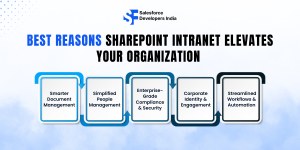
Smarter Document Management
With SharePoint intranet development, firms can centralize storage, version control, and permissions. As it ensures global teams’ access to updated, secure content. It reduces duplication, enhances collaboration, and maintains compliance.
Simplified People Management
The intranet SharePoint portal allows businesses to build detailed charts, employee profiles, and role-based access. Whether onboarding in the USA, finding the right people is effortless.
Enterprise-Grade Compliance & Security
SharePoint offers granular permissions, multi-factor authentication, and link expiration policies. From banking to healthcare, enterprises safeguard sensitive data while staying regulatory compliant.
Corporate Identity & Engagement
SharePoint intranet helps enterprises unify their brand culture by customizing landing pages. It also publishes updates and promotes cross-team engagement vital in remote-first firms.
Streamlined Workflows & Automation
By integrating Power Automate and tools like Nintex, businesses can automate approvals, reminders, and project workflows, ensuring projects in Houston or Miami stay on track.
Benefits of Microsoft SharePoint Intranet
Here are the advantages of integrating a SharePoint Intranet.
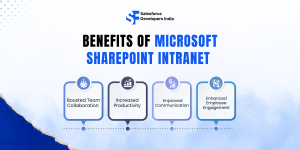
Boosted Team Collaboration
Microsoft SharePoint intranet encourages teamwork by supporting functionalities. Such as for features like real-time writing, peer reviewing, and assignment delegation. It is valuable in hybrid work environments where several teams are located in different locations.
Increased Productivity
Among the most helpful automation tools are workflows, alerts, and templates. Although there are many benefits associated with SharePoint, sustaining them across an organization. So, they can help save time that is spent in search of files or organizing entities used in communication.
Improved Communication
This application helps departments reduce communication barriers by consolidating updates, discussions, and SHAR resources into one software. Furthermore, its user-friendly interface ensures that even the least tech-savvy users can remain highly productive.
Enhanced Employee Engagement
With Gates to Personas, personalized dashboards, employee reward mechanisms, and adding a social touch of blogs and forums, SharePoint fosters a dynamic organizational culture. People get a sense of belonging; they also feel appreciated, which makes them improve their productivity.
Related Blog:Top SharePoint Tools for Digital Domination!
Must-Know SharePoint Intranet Functionalities
Here are the must-have features in a SharePoint Intranet for your firm.
Educate Employees with Centralized Resources
A modern SharePoint intranet empowers HR and L&D teams to share training modules and announcements. It reduces repetitive queries, speeds up onboarding, and informs employees across locations. And fosters consistency in knowledge-sharing and improves productivity. By giving employees quick access to crucial information.
Maintain Consistency in Documents
Document chaos is one of the biggest hurdles in large organizations. With the intranet SharePoint, firms can standardize templates, version control, and organize files. This ensures proposals, reports, and contracts always follow corporate standards. Whether teams are in the USA or the UK, employees work with the latest versions. It improves collaboration, saving time and eliminating costly errors caused by outdated documents.
Improve Communication Across the Enterprise
Strong communication is at the heart of a successful digital workplace. The SharePoint intranet integrates seamlessly with Microsoft Teams and Yammer to provide a unified, mobile-first communication hub. Employees can share ideas, post updates, and collaborate across geographies in real time. It keeps hybrid teams connected, increases employee engagement, and boosts productivity. So, it ensures everyone stays aligned with company goals and projects.
Real-World Use Cases That Integrate SharePoint Intranet
Here are the real-life use cases to integrate the seamless communication tool.
Cross-Department Collaboration:
A global manufacturing firm adopted SharePoint to improve its product development cycle through the integration of design, marketing, and supply chain divisions.
Enabling Remote Work:
One healthcare organization needed a way to support remote working and show that it was not compromising on security or efficiency; SharePoint was their solution.
Streamlined Onboarding:
The intranet using SharePoint was useful for a financial services company to make its onboarding program by informing new employees about training, forms, and policies available on the HR website.
Tips to Maximize SharePoint Intranet’s Potential
Here are the best tips to integrate the best potential.
-
Regularly Update Content
Keep the intranet active by posting new news, new announcements, new resources, and updates. Intranet stagnation is followed by disinterest.
-
Leverage Analytics
SharePoint offers impressive features that allow users to monitor behavior within the platform and identify areas that may need improvement. So, insights such as page views, including the most viewed pages, can be valuable when planning which content to display.
-
Provide Employee Training
Increase usage by conducting training on how to use the Microsoft SharePoint intranet and providing pamphlets and other material to assist employees in becoming as knowledgeable as possible concerning the program. You can hire SharePoint developers with technical capabilities for your firm.
-
Integrate Third-Party Tools
Discuss its possibilities to integrate with CRM, ERP, and other third-party tools to enhance and develop SharePoint’s functionality for the company.
Challenges and How to Overcome Them in SharePoint Intranet
Let’s look at the challenges businesses face in the integration process.
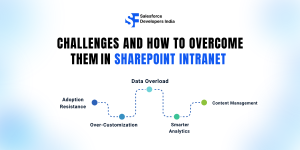
Adoption Resistance
In such cases, employees may resist adopting a new platform introduced in the organization. However, this issue can be addressed by informing them about its benefits, providing hands-on training sessions, and subsequently gathering their feedback to make necessary adjustments.
Over-Customization
Customizations have been known to be achievable in SharePoint, but making too many changes leads to the development of complexity. If at all, you need to stick to the scores that are basic and fall in line with the overall objectives of the game.
Data Overload
Sharing large multimedia files can be cumbersome using traditional email services, which can clutter inboxes and company servers. Whereas, cloud services like Dropbox may raise data security concerns and lack control. SharePoint intranet combats these challenges by providing built-in enterprise storage solutions, making it easier and more secure to handle multimedia files.
Smarter Analytics
A truly productive workplace starts with understanding how employees interact with tools and information. SharePoint intranet’s advanced analytics empowers businesses to monitor platform usage, identify popular tools, and uncover employee preferences. These insights make it easier to design better workflows, improve engagement, and even build recognition programs—strengthening collaboration and overall organizational efficiency.
Content Management
Handling massive amounts of business data is no longer a burden with SharePoint’s modern intranet. Its powerful content management system centralizes files, ensures seamless version control, and offers enterprise-grade search capabilities. Teams can store, secure, and retrieve documents effortlessly while maintaining compliance. With added integration across Microsoft 365 and third-party apps, organizations gain a streamlined, secure, and connected digital workplace.
Conclusion:
Implementation of SharePoint intranet solutions as a strategic tool that can revolutionize working processes in organizations by enhancing collaboration and accelerating performance. Through the various aspects of functionality, SharePoint provides a space where teams can work effectively, including its strong connections and ease of use. This paper aimed to show how, concerning challenges and best practices, SharePoint is capable of providing the fully realized transformation of business employees’ interactions.
FAQs
-
How does a SharePoint intranet improve team collaboration?
A SharePoint intranet centralizes communication, documents, and workflows in one place. Teams can co-author files in real time, use task management tools, and integrate with Microsoft Teams, breaking silos and boosting efficiency across departments.
-
Can SharePoint intranet boost employee productivity in hybrid workplaces?
Yes. With mobile-friendly access, AI-powered search, and integration with Microsoft 365, employees can collaborate seamlessly from anywhere. It reduces delays, ensures version control, and keeps teams aligned on goals.
-
What business challenges can a SharePoint intranet solve?
SharePoint addresses issues like scattered data, poor communication, document duplication, and compliance risks. It provides a unified platform that streamlines operations and strengthens organizational culture.
-
Is a SharePoint intranet scalable for growing enterprises?
Absolutely. Whether you’re a small business or a global enterprise, SharePoint intranet scales to your needs with custom workflows, departmental sites, and security features that evolve with growth.
-
How can SharePoint intranet drive ROI for my business?
By reducing manual tasks, improving communication, and enabling faster decision-making, the SharePoint intranet increases operational efficiency. This leads to lower costs, higher employee satisfaction, and better overall business performance.
Looking to get the integration of SharePoint Intranet development in your business?