
How Microsoft Copilot in SharePoint is Transforming the Modern Workspace?
Introduction
In the fast-paced dynamic workspace, you need streamlined connected collaborations. As we can see, the rise of remote work makes it necessary to bridge the communication gap. So, what’s better than the Microsoft Copilot in SharePoint that has become a great name in the market? You can even get SharePoint development company for your help. As it offers innovative solutions to help reshape your business processes. So, if you want to know about it, let’s dive in.
Understanding Microsoft Copilot in SharePoint
If you’ve used SharePoint inside a growing team, you already know what happens. Files keep coming in. Pages get updated. Old versions stick around. And at some point, people stop trusting what they find.
Microsoft 365 copilot for SharePoint exists for that moment.
It became available as part of the Microsoft 365 Copilot bundle toward the end of 2023. But this isn’t a new tool you switch on and learn from scratch. It works inside SharePoint and helps people deal with the content they already have.
Think of it as help at the exact point where work usually slows down.
Here’s what it actually does in day-to-day use with every SharePoint development company:
- Helps users get the point of long documents without reading everything
- Brings the right files forward when multiple sites are involved
- Makes it easier to decide what needs updating, sharing, or leaving alone
This is where it differs from Copilot in Teams. Teams Copilot helps with calls and chats. SharePoint Copilot helps with judgment around content. What’s useful. What’s current. What can be reused.
It also fits naturally with tools like Stream, Loop, and Viva Topics. That matters, because work doesn’t live in one place anymore. People move between documents, videos, and notes, and Copilot follows that flow instead of forcing a new one.
For decision-makers, the value is straightforward. This isn’t about adding AI because it sounds modern. It’s about making SharePoint workable as content grows. Copilot helps teams spend less time searching and more time finishing work, which is usually the real problem hiding underneath.
Microsoft Copilot for SharePoint in Action
Copilot for SharePoint doesn’t sit outside the system or change how SharePoint behaves. It works within Microsoft 365 and responds to the way teams already create and manage content.
In practical terms, Copilot helps teams move faster in a few key ways:
- It turns short prompts into usable SharePoint page content
- It reshapes existing documents into structured pages
- It pulls information from different SharePoint sites when users ask for it
The experience feels conversational. Users don’t need to write perfect instructions. They can ask Copilot to draft content, rework text, or summarize material already stored in SharePoint.
Microsoft also introduced a new SharePoint start experience this year, focused on faster site and page creation. Copilot supports this by helping users retrieve content from across the Microsoft 365 environment and place it where it belongs. That includes documents, presentations, and internal resources that usually sit scattered across teams.
For organizations that want this set up correctly, many choose to partner with leading SharePoint Collaboration services to align Copilot with their structure and governance. When configured well, Copilot becomes a practical tool—not a novelty—helping teams turn existing content into clear, usable SharePoint pages while keeping a consistent tone and structure.
Microsoft Copilot in SharePoint and Generative AI
Generative AI is transforming how businesses create, manage, and collaborate on content. With Microsoft Copilot SharePoint, organizations can harness AI to ease the process of workflows, automate repetitive tasks, and generate context-aware content directly within the platform.
The AI-powered insights, Microsoft Copilot in SharePoint leads to better decision-making, suggests relevant resources, and personalizes user experiences. Teams can quickly summarize documents, draft pages, or retrieve information from across SharePoint, boosting productivity and collaboration.
Microsoft Copilot’s generative AI capabilities turn SharePoint into a smarter, more adaptive workspace where content creation, sharing, and management become faster, easier, and more intuitive. This integration allows employees to spend less time navigating tools, making SharePoint a hub for innovation and great teamwork.
Role of Microsoft Copilot in SharePoint
The role of Copilot in SharePoint offers a collaboration powered by Microsoft. As it focuses on enhancing business productivity and teamwork for a streamlined workflow. Microsoft Copilot with SharePoint is an essential AI-powered assistant to help users with almost everything. You can get SharePoint development company for more assistance such as navigating, managing, and even optimizing the experience.
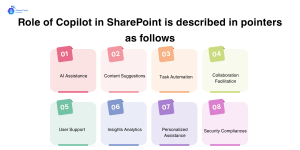
The role of Copilot in SharePoint is described in pointers as follows:
AI Assistance
The Copilot leverages AI capabilities in various formats. Such as to offer personalized recommendations, suggestions, and insights. A great advantage with Microsoft Copilot SharePoint is that it helps users quickly find relevant content, draft documents, and summarize information from multiple sources. To implement these features effectively, you can consider to hire a SharePoint developer for expert guidance
Content Suggestions
Copilot performs the relevant content suggestions as per the need of the user. Such as going through browsing history, search queries, and content preferences. You can get SharePoint development company for more assistance in creating new documents, sites, news articles, and other resources across the SharePoint ecosystem.
Task Automation
With AI powers in Microsoft Copilot SharePoint, you can’t keep the automation on the back burner. Copilot also assists the user in automating tasks with the help of SharePoint. Such as file organization, content tagging, version control, and streamlining workflows. These aligned processes help save time and effort to focus on strategic tasks.
Collaboration Facilitation
The usage of Microsoft Copilot for SharePoint enhances collaboration opportunities for team growth. Professional SharePoint development companies can offer assistance with relevant suggestions to individuals, groups, and teams for the users to connect. Even they can collaborate on projects, documents, and tasks.
User Support
You can get overall guidance, tips, and tutorials to help the users effectively. It helps to utilize the SharePoint integration features and functionalities. Also, it offers on-demand user support to help overcome any challenges. Plus, maintaining the rhythm of productivity.
Insights Analytics
The Microsoft Copilot in SharePoint holds the intelligence to analyze user interactions, engagement, consumption, etc. It helps to offer valuable insights after collecting the data from disparate content. Also, it helps to identify popularity and performance metrics for data-driven decisions.
Personalized Assistance
Microsoft Copilot with SharePoint adapts well to the user’s unique preferences, habits, and work patterns. These patterns help to create unique and personalized experiences for users. So, you get feedback and improvisations to continue the suggestions in the apps.
Security Compliances
Copilot in SharePoint helps enforce security policies, compliance regulations, and data governance standards. It manages access controls, permissions, and retention policies to safeguard sensitive information and maintain regulatory compliance.
Role of AI Copilots in Business Environments
Generative AI with Microsoft Copilot in SharePoint can offer intelligent and smart decision-making powers and more like:
Intelligent Conversational Agents
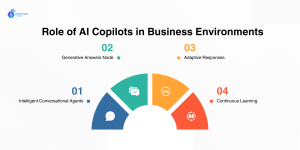
The Copilot Studio enhances the generative AI capabilities to create smart agents. Or you can call them copilots for seamless integration with SharePoint. These Copilots act as digital assistants just like chatbots to offer excellent conversational interactions. As it also enhances the overall SharePoint experience.
Generative Answers Node
A central component of Copilot Studio is the Generative Answers Node. This feature serves as the Copilot’s core for accessing and utilizing knowledge sources, such as SharePoint documents and website content, to generate informed and accurate responses.
Adaptive Responses
User engagement with the Copilot to generate friendly responses to the users. Also, it resonates with the relevant query and informs by the knowledge sources of access. Plus, this results in interactions that are informative and tailored to user needs.
Continuous Learning
The SharePoint AI assistant can help you learn and adapt with time and need. With the ongoing user interactions, these assistants refine understanding. Also, it is responsible for improving the responses to be more effective. Plus, it becomes effective and valuable as a digital assistant.
Benefits of Using Copilot in SharePoint
Here are some of the benefits of integrating Microsoft Copilot with SharePoint for your business.
Site Administration
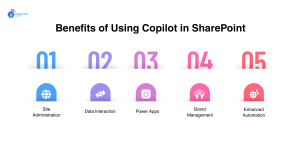
SharePoint users can generate new websites with the help of Copilot. This automated chat support can save you time from site development. Now, this includes the content and formatting that makes the website easier to learn to create and design. The usage of Copilot also helps users to easily upload documents. So that you can use the content you need for the website.
Data Interaction
The employees can easily use the Copilot to locate the content more easily than ever. The Copilot Studio helps users to easily use automation and bots. Or you can use the standard Copilot to ask for any accessible information. And you can store the data in SharePoint integrations without any searches for locking it. Plus, the feature helps users to easily access information through chat.
Power Apps
Now this concept has brought work smarter and not harder concepts for the users. Also, Microsoft moved away from the InfoPath and Power apps that can collect data from disparate sources. And it can help to use Copilot and power apps together for these apps. If any user instructs Copilot for app development, it’s a yes!
Brand Management
After improving different pointers of business success. You can easily use Copilot to ensure websites or apps with AI support are consistent. Not just the looks but also the feelings of different users. While it’s possible to easily customize the sites and improve overall engagement. And you can easily format the brand image without any training.
Enhanced Automation
Lastly, the Microsoft Copilot capabilities for SharePoint usages. Such as content creation, site development, and shared access across the business. SharePoint Premium consists of translation, video analysis, and assist intelligence. Thus, making user experience for classified content with automation is important.
AI-driven Future of Microsoft Copilot in SharePoint
Microsoft is positioning AI as the key to SharePoint’s future. With Microsoft Copilot in SharePoint, they’re set to deliver more intuitive and seamless experiences for site owners, teams, and users. How? By enabling better collaboration and faster content creation while easing the management of SharePoint.
Copilot, powered by AI and natural language processing, enhances content discovery and improves knowledge sharing. SharePoint’s robust document management, workflow automation, and collaboration features get a productivity boost with AI integration.
However, successful AI adoption needs careful planning, including training, process alignment, and tracking outcomes. Professional support can assist in deploying AI tools such as Copilot, helping your organization gain full benefits while mitigating challenges.
Conclusion
Microsoft Copilot in SharePoint is not about changing how people work. It’s about fixing what usually breaks as work grows.
As content multiplies, teams don’t fail because they lack tools. They fail because information becomes harder to judge, harder to trust, and harder to reuse. Files exist, yet no one is sure which ones matter. Pages are updated, but context gets lost. Over time, collaboration slows not because of effort, but because of friction.
That’s the gap Copilot steps into. When combined with SharePoint’s ability to embed content into email, Teams, and Viva, the result is simple but powerful: content stops sitting idle. It moves with work. It stays visible. And it remains connected to the decisions it supports.
When that balance is right, collaboration stops feeling like something to manage. It simply becomes how work gets done.
Want A Smarter Workflow? Integrate Copilot with SharePoint
Frequently Asked Questions
1. What is Microsoft Copilot in SharePoint?
It’san AI-powered assistant built into SharePoint that helps you find, summarize, and manage content faster—without changing the way you already work.
2. How does Copilot improve productivity?
By highlighting relevant files, summarizing long documents, and automating routine tasks, Copilot lets teams spend less time searching and more time doing actual work.
3. Do I need special training to use it?
Not at all. Copilot works inside SharePoint with the tools you already use, making it easy to adopt withoutlearning a new system.
4. Can Copilot help with team collaboration?
Yes. It ensures everyone has access to the right content, suggests updates, and keeps information organized, making teamwork smoother and more efficient.