
SharePoint Online Development: Features and Development Solutions
With the daily increasing rate of underscore that occurs in organizations, companies require powerful solutions to support teamwork, improve efficiency, and successfully control documents. SharePoint Online development, another product of Microsoft, has proved to be one of the most valuable tools for meeting these requirements in the cloud. SharePoint Online as part of the Microsoft 365 provides organizations with tools to engage, work, and manage processes proficiently.
In this blog, we discuss what exactly SharePoint Online is, its capabilities, as well as how SharePoint development services can help optimize it to benefit small businesses.
What Is SharePoint Online Development?
SharePoint Online is an online service that is used for content management together with team collaboration tools and document-sharing capabilities. In contrast to SharePoint On-Premises, which is an organization’s responsibility in terms of maintaining physical servers, SharePoint Online is located on Microsoft’s cloud.
Thus, it provides convenience to businesses by alleviating concerns about server management and capacity. SharePoint Online enhances the Microsoft 365 App connections such as Teams, OneDrive, and Outlook, in which users can quickly and easily access the SharePoint app to communicate and share documents.
This paper outlines the benefits associated with SharePoint Online as follows:
- Accessibility: You can get to your SharePoint sites and documents from a laptop, desktop, mobile phone, tablet, etc. with an Internet connection.
- Scalability: This can be used by a small business right up to a large enterprise throughout the growing process.
- Automatic Updates: It will also remain updated so that you are using the most current features and security patches.
For example, if you need to create workflows, design an intranet, or work with documents, SharePoint Online will become your business platform.
Key Features of SharePoint Online
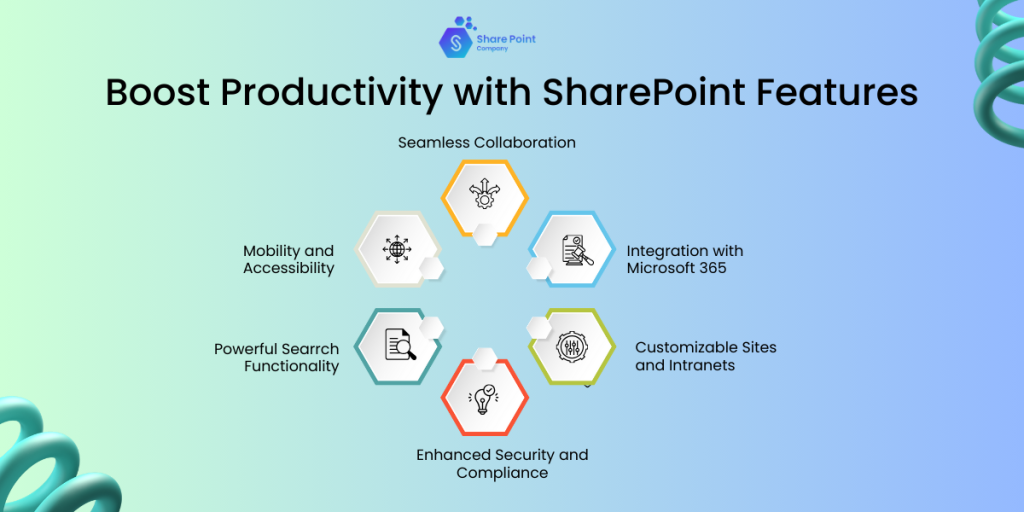
1. Seamless Collaboration
Microsoft likes to promote SharePoint online development as an ideal solution for cooperation between teams. It has a co-authoring function, which enables several people within the same team to write the document at the same time. This reduces differences in working on different versions and makes sure everyone is working on the most updated version.
Besides, it interconnects with Microsoft Teams to, under one roof, connect the chats, meetings, and documents shared during the process.
2. Integration with Microsoft 365
Another strength that SharePoint Online has had is its strong integration with other productivity tools available on the Microsoft 365 platform. It works seamlessly with:
- Collaboration software in the form of Microsoft Teams.
- For documents and file sharing and syncing OneDrive.
- Outlook for email and task assignments.
- They also wanted consistency so that the user could leave an application, use another application, and come back to where he left off.
3. Customizable Sites and Intranets
SharePoint Online development allows organizations to build unique sites and intranet solutions required for their business. These sites can be used to disseminate company updates, hold project information, or for resource consolidation.
This means that anyone with little programming knowledge can simply drag and drop various widgets and templates to create beautiful websites that will also function properly.
4. Enhanced Security and Compliance
One of the greatest concerns that organizations have is the security of their enterprise, and SharePoint Online helps meet this need. It offers:
- Data Encryption: Addresses problems of data security while data is stored and also while in transit.
- Data Loss Prevention (DLP): Probably the most important job for defining and separating data access from data is to find out what data should not be accessed by anybody who does not have proper permissions.
- Compliance Standards: It protects regulations such as GDPR and HIPAA by helping businesses to remain compliant.
These features make SharePoint Online a secure platform to manage business-critical information.
5. Powerful Search Functionality
Locating particular data within a large business setting can be quite overwhelming. SharePoint Online development’s intelligent search feature simplifies this by:
- Arranging documents and their metal indexation.
- Including filter and tag set buttons to reduce the result set.
- AI as an assistant to the user to receive answers in a shorter period.
- This helps to reduce time spent on finding what they want and instead, gain productive time.
6. Mobility and Accessibility
SharePoint Online development integrates with other office tools, and its mobile-first, adaptive approach guarantees that users are offered a consistent user experience across devices. No matter if you’re working with a desktop, tablet, or smartphone, you can work on your sites, documents, and processes at any time.
Its relative ease of access makes it a perfect fit for any organization that encourages remote and hybrid work.
Related Blog: Why Every Business Needs SharePoint: The SharePoint Benefits You Need to Know
Why Choose SharePoint Online?
SharePoint Online is best for today’s organizations as a single solution.
Here’s why:
- Cost-effectiveness: Since it is cloud, it doesn’t require the user to invest in expensive hardware or IT support.
- Scalability: From this perspective, it is easy to see that using SharePoint Online can be a powerful decision for any organization because it can evolve according to the needs of the business.
- Regular Updates: Microsoft constantly releases updates to your software, guaranteeing you use state-of-the-art features and technologies.
First of all, it is a helpful tool for organizations of many types and industries due to its flexibility and possibility to integrate with other systems.
SharePoint Online Development Services
Despite this, SharePoint Online is well-optimized and presents your organization with a standard feature template that professional development services can customize.
1. Customization and Branding
What are the features of SharePoint Online? SharePoint Online can be easily branded to look like your company. Organizations can hire professional developers who will create organizational themes, layouts, and interfaces.
2. Workflows and Automation
Recurrent tasks can also make significant demands on time. Microsoft Office users mainly apply Power Automate, which SharePoint Online developers manage to set up universal flows that manage routines, for instance, approvals in documents, notifications, and tasks.
3. Third-party Integration
To maximize efficiency, SharePoint online development can be integrated with third-party systems such as:
- CRM, or Customer Relationship Management software.
- systems such as the Enterprise Resource Planning (ERP) systems.
- Custom business applications.
- These linkages help manage the flow of data throughout your company.
4. Custom Web Parts Development
Web Parts is a tool in SharePoint where you can enhance different functionalities of the site by adding components as needed. Examples include:
- Interactive dashboards.
- Custom forms.
- Data visualization tools.
Working with professional development services, you can develop unique web parts for your business.
5. Intranet Portals and Dashboards
SharePoint Online is a beneficial platform for creating corporate intranet sites. SharePoint Intranet portals serve as centralized hubs for:
- Announcing new company products and services.
- Storing information for training.
- Observed project activity with graphic reports.
6. Migration and Upgrades
Migrating from prior systems or having SharePoint within an organization’s local network to utilizing SharePoint through the cloud is no easy feat. Migration is accomplished by SharePoint development experts, who maintain data integrity and keep the software offline only briefly.
Initially, let us understand how SharePoint Online transforms business processes or business activities.
SharePoint Online has a transformative impact on business processes by:
- Streamlining Operations: SAM supports people in automating paper-based or time-consuming tasks, reducing errors and time spent.
- Enhancing Collaboration: Facilitates team collaboration around particular projects in real-time.
- Centralizing Document Management: Consolidates all documents in a single place, allowing convenience and organization rather than the confusing clutter of duplications.
Different Challenges and Solutions
While SharePoint Online is a powerful tool, its adoption may come with challenges, such as:
- Learning Curve: Employees may need a tutorial on how it works to maximize its effectiveness.
- Migration Complexities: Transferring data from other old systems may not be easy to perform without the help of knowledgeable people.
- User Training: SharePoint online development can be effectively utilized when employees take regular training sessions to enable them to appreciate how best SharePoint should be used.
- Professional Development Services: We can Hire SharePoint Developers to guarantee that the implementation process and the customization shall run as planned.
Concluding Thoughts
Microsoft SharePoint online development is a revolutionary service for companies who would like to make their business more productive by improving teamwork, business processes, and document control. It works seamlessly with Microsoft 365, incorporating a wide range of advanced tools to benefit organizations of various types.
But to fully unlock it, organizations should think of utilizing professional development services. Whether you need a new custom web part developed or a seamless migration to Office 365 SharePoint Online, professional developers can create the customized solution for you.
FAQs
What is the difference between SharePoint Online development and SharePoint on-premises?
The main difference lies in the hosting environment:
SharePoint Online is thus an online-based service provider that is owned by Microsoft. That reduces the need to have a local server, provides the opportunity for scaling and constant updates, and is accessible from anywhere with an internet connection.
On the other hand, SharePoint On-Premises is a solution installed in the organization’s local network and runs on the physical servers to offer even more degrees of freedom to configurational changes but also demands constant care in the form of IT staff and their resources for maintenance and upgrades.
How can SharePoint Online development services benefit my business?
SharePoint Online development services are services of developing SharePoint to meet the organization’s business processes and goals. These services provide:
- Branding specific to your company’s image or logo.
- Application of workflow to reduce the amount of time used in performing repetitive tasks.
- Interoperability with other applications, such as CRM and ERP systems, where data can be easily transferred.
- Migration supports moving away from old systems that only cause interruptions or delays.
How secure is SharePoint Online for storing sensitive business data?
SharePoint Online is highly secure and includes enterprise-grade security features such as:
- Encryption: Data privacy is adopted for the organization; all data is encrypted both at rest and in transit.
- Advanced Compliance Tools: Assists companies to remain compliant with laws such as privacy laws, including GDPR and HIPAA.
- Data Loss Prevention (DLP): Responsible for the administration of data protection functions, including the identification of data that should be protected.